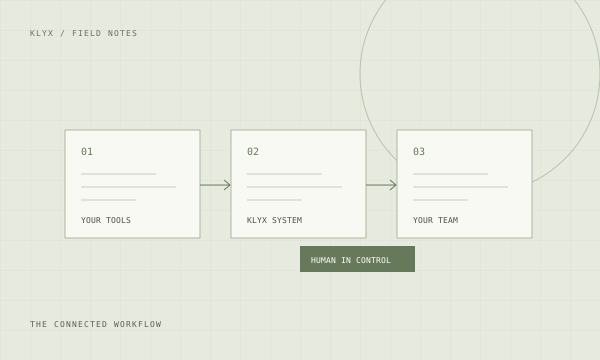
Automate around the system, not instead of it
Contractors who already run Procore, Autodesk Build, Sage, or a similar platform usually assume that improving operations means migrating to something better. In practice the platform is rarely the constraint. The constraint is everything that happens in the gaps: the email that never became an RFI, the field note that never became a change order, the invoice sitting in a personal inbox, the spreadsheet that exists because the system does not quite fit how the company works.
Automation that lives in those gaps is cheaper, faster to build, and far less disruptive than a migration. It also fails more gracefully. If a triage workflow breaks, someone reads their email the old way for a day. If a platform migration breaks, the company stops functioning.
Sequence by pain, then by feasibility
List the recurring administrative tasks that consume real hours. For most commercial contractors the list looks similar: project email triage, RFI drafting and follow-up, submittal log creation and tracking, change order capture, bid invitation intake, daily report assembly, invoice and purchase order matching, closeout document collection. Rank them by how much time they consume and how directly they touch revenue.
Then apply a feasibility filter. A workflow is a good candidate when the inputs arrive in a consistent digital form, the rules can be written down, the output goes to a human reviewer rather than straight to a client, and success is measurable. Workflows that depend on information living only in someone's head are not candidates yet. Write down the rules first and they become candidates.
Build one, run it on one project, then expand
The first workflow should go live on a single active project with one engaged project manager. Not a pilot in a sandbox with fake data, and not a company-wide rollout. A real project, because the exceptions only appear under real conditions, and a single one, because that is the scale at which you can actually inspect every output.
Plan to spend the first two weeks correcting. The initial version will misclassify things, miss edge cases, and surface process questions that were never resolved. That is the work, not a sign of failure. Most of what gets discovered is that the underlying process was ambiguous, and the automation simply forced the ambiguity into the open.
Define what done looks like before you start
Agree in advance on the measure. Hours returned to the project manager each week. Days from field directive to submitted change order. Percentage of RFIs answered within the contractual window. Number of bid invitations logged versus received. Pick one primary measure per workflow and record the baseline before anything changes.
Then hold the review. Four weeks after go-live, compare against the baseline, list what still requires manual intervention, and decide plainly whether to expand, adjust, or stop. Contractors who run this loop honestly end up with a small set of workflows that genuinely reduce administrative load. Contractors who skip it end up with tools nobody can explain the value of.
Assign an owner or expect decay
Every automated workflow needs a named person responsible for it. Formats change, a general contractor switches portals, someone modifies a template, a staff change alters who reviews what. Without an owner, the workflow quietly degrades until people route around it, and nobody can say when it stopped working.
The ownership burden is small when it is assigned: a monthly look at the exception rate, a quarterly review of whether the workflow still matches the process. It is large when it is not assigned, because the eventual repair is a rebuild. This is also the reason to keep the number of workflows deliberately small. Three that are maintained beat ten that are not.