Why drywall change orders go unbilled (and what it costs to carry them)
The crew finished the extra. The office is still trying to assemble the record. Follow the handoffs before blaming the people carrying them.
KLYX builds email and document triage workflows for commercial subcontractors. Messages and attachments are associated with jobs, possible actions are surfaced, and records are routed within the tools your team uses. Reviewers handle uncertain matches and sensitive documents. The goal is an office queue that does not depend on one inbox.
Book an Operations ReviewA project email can contain a scope direction, a response, and a missing-document request in the same thread. Filing it is only part of the job. The office still needs to identify the action, its owner, and what should happen before information is distributed.
Integration access and capabilities are confirmed during discovery.
Drafts and recommendations are reviewed by your team before a pricing decision, technical response, submission, or purchasing commitment.
Bring a representative example, the tools involved, and the person who owns the workflow.
Agree on permissions, source records, approval boundaries, and exception handling.
Test on a limited scope, compare against your baseline, and train the team before expanding.
Connect a soffit-change email to the potential-change log, a framing-depth response to its RFI, and a missing lower-tier waiver request to the billing package. Keep the original message available. A short summary should never be the only evidence behind a commercial decision.
Define how job numbers, aliases, drawing revisions, and folder permissions are handled. If the same GC has several jobs with your company, sender identity alone is not enough to classify the message. Uncertain matches should wait for a reviewer rather than being silently filed to the wrong job.
Electrical, mechanical/HVAC, plumbing, concrete, roofing, and other specialty subcontractors face related handoff problems. We map the workflow around your scope, records, and approval responsibilities. The drywall examples show the level of detail we look for; they do not limit who can start with an Operations Review.
Yes, subject to access and a reliable way to identify the job. We define matching rules around your job references and folder structure. Ambiguous messages go to review. Filing should preserve the original source and the permissions appropriate for that project.
It can flag language or attachments that may need scope review and link back to the source message. Your PM decides whether the item is extra work and what evidence is required. A detected phrase does not establish entitlement, price, or approval.
A workflow can compare the job’s agreed package checklist with the records available, assign missing items, and track the response to a rejection. A person verifies sensitive documents and legal content. The system does not certify that a waiver or payment application is legally sufficient.
No blanket forwarding is assumed. Your team defines which records may move automatically and which require approval. External distribution, uncertain job matches, and sensitive documents receive explicit review boundaries during the audit.
We assess Procore, Autodesk, Bluebeam, Microsoft 365, QuickBooks, and Foundation where relevant to the workflow. Access depends on your account, permissions, and available interfaces. The audit confirms what can connect, what needs a reviewed handoff, and which record remains the source of truth.
The crew finished the extra. The office is still trying to assemble the record. Follow the handoffs before blaming the people carrying them.
This is about administrative rejections: the work is represented, but the package is missing something the reviewer requires. The fix starts before submission.
A polished meeting summary does not establish who agreed to do what. Use AI to draft a source-backed action register, then have the project team confirm owners, dates, and decisions before distribution.
Subcontractor and supplier invoices arrive in every format a vendor can think of, and the cost of processing them badly shows up as lost discounts, double payments, and margin you cannot explain. Here is what to automate first.
A practical workflow for turning field directions into documented, reviewable changes before the job reaches closeout.
Choose one repeatable workflow with a clear owner, reliable inputs, and a result your team can actually check.
Build a follow-up process that keeps unanswered questions visible without creating another spreadsheet to maintain.
A grounded look at where artificial intelligence in construction earns its keep today, which claims to ignore, and how to pick a first workflow that pays for itself.
Most contractors do not have a bidding problem. They have a bid tracking problem. A practical system for logging invitations, owning go or no-go decisions, and following up.
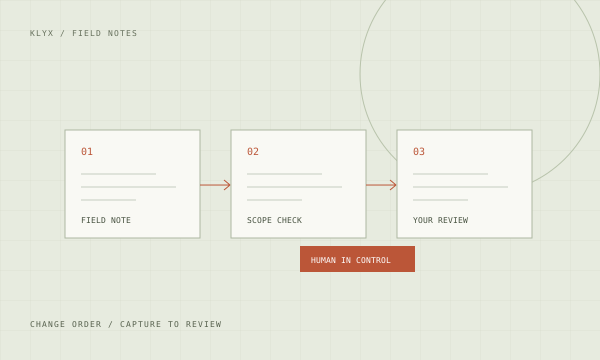
Extra work performed and never properly documented is one of the most common margin losses in commercial construction. A workflow for catching changes at the source.
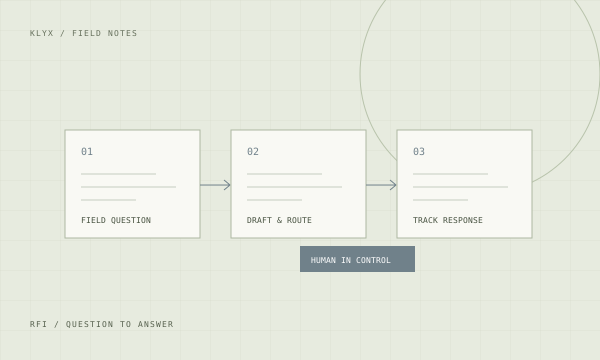
An unanswered RFI is a crew waiting. A practical approach to drafting, routing, and chasing requests for information without living in your inbox.
You do not need to replace your project management system to automate the work around it. A sequenced plan for commercial contractors, starting with one workflow.
Plans, specs, transmittals, invoices, and correspondence pile up faster than anyone files them. How AI-assisted document handling makes project records findable and usable.
Safety programs fail on paperwork more often than on intent. How automation keeps toolbox talks, inspections, and incident records complete without adding field burden.
Work in progress reporting and pay application preparation eat the same week every month. Where the repetitive parts can be automated and where accounting judgment stays.
You cannot hire your way out of a skilled labor shortage quickly. You can stop spending experienced people's hours on work that does not require experience.
Insurance certificates expire, licenses lapse, and financial information goes stale. How general contractors keep prequalification current without a full-time administrator.
Payment delays in commercial construction are usually documentation failures, not disputes. How to make the billing package complete on the first submission.
Closeout is where retainage sits and profit gets eroded. A workflow for punch items, closeout documents, and getting the final payment released.
Relationships win commercial work, but relationships tracked in one person's head do not scale. A lightweight CRM approach built around how contractors actually sell.
Generic AI-written proposals lose work. Here is how to use language models for the assembly and boilerplate while keeping the judgment and voice that win jobs.
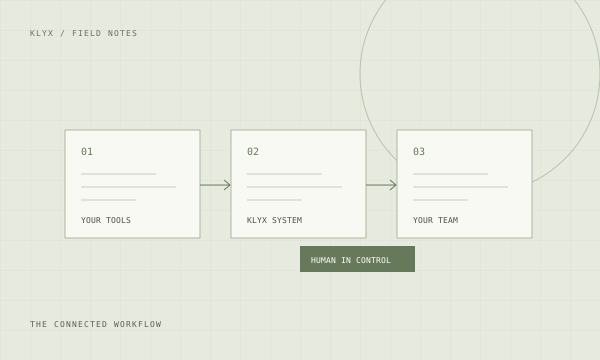
Your project platform holds project data. Your accounting system holds cost. Your email holds everything else. How to connect them without a rebuild.
Daily reports are the contractor's contemporaneous record and the most commonly skipped paperwork on a job. How to make them complete without adding an hour to the day.
A low win rate is usually a targeting problem, not a pricing problem. How to find out which work you actually win and stop spending estimating hours on the rest.
Thousands of jobsite photos are worthless if nobody can find the right one. How to capture, organize, and retrieve visual evidence that actually supports a position.
Project email is where directives, approvals, and commitments hide. A triage approach that turns an unmanageable inbox into a reviewed queue with owners.
Warranty calls arrive months after the job is closed, to a team that has moved on. How to handle them without losing the relationship or absorbing costs you do not owe.
New project engineers take months to become productive because the knowledge lives in people's heads. How to capture it and shorten the ramp without pulling seniors off work.
Vendor return-on-investment claims are built on assumptions about your business that may not hold. A method for producing a number you can defend to your own leadership.
Staff are already using AI tools with company information. A short, practical policy that protects the business without pretending the technology can be banned.
Clash detection produces long reports and limited field benefit when the resolution process is missing. How to turn detected clashes into resolved conditions.
The construction technology market is crowded with similar claims. A short set of questions that separates vendors who understand contracting from those who do not.
We’ll discuss how work moves through your company, identify where to investigate first, and determine the scope of an operations audit.
Walk away with a map of how work moves through your office and a ranked list of what to investigate and fix first.
A real conversation. With the person who builds it.