Why drywall change orders go unbilled (and what it costs to carry them)
The crew finished the extra. The office is still trying to assemble the record. Follow the handoffs before blaming the people carrying them.
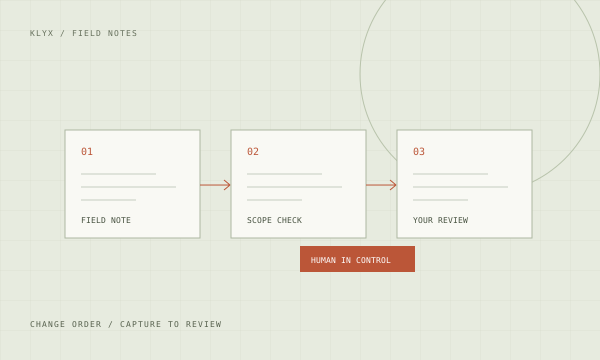
KLYX builds change order workflows for commercial drywall and framing subcontractors. Field notes, T&M tags, photos, and project correspondence become a reviewable record with an owner and a next action. Your team approves scope, pricing, and submissions. The goal is a clear path from extra work to billing.
Book an Operations ReviewA verbal direction can become installed work before it becomes a potential change in the log. When the field note, drawing revision, pricing, and approval live in separate places, your office has to reconstruct the job before it can submit the extra.
Integration access and capabilities are confirmed during discovery.
Drafts and recommendations are reviewed by your team before a pricing decision, technical response, submission, or purchasing commitment.
Bring a representative example, the tools involved, and the person who owns the workflow.
Agree on permissions, source records, approval boundaries, and exception handling.
Test on a limited scope, compare against your baseline, and train the team before expanding.
Start with a moved partition, added backing, revised soffit, or extra finish requirement. Record who directed the work, where it happened, when it happened, and which contract drawing or specification changed. A signed field ticket supports the record; your team still determines what it establishes under the contract.
Track the extra through distinct gates: captured, scope reviewed, pricing in progress, ready for approval, submitted, response received, and accounting handoff. A GC reply should attach to the same item. The PM should not need to search a separate inbox to explain why a change is still open.
Add the actual values of changes ready to submit, then inspect how long each has been waiting and who owns the next action. Do the same for approved changes awaiting billing. These are different queues. Use your own records to establish the baseline before an implementation; KLYX does not assume every open change is recoverable.
Electrical, mechanical/HVAC, plumbing, concrete, roofing, and other specialty subcontractors face related handoff problems. We map the workflow around your scope, records, and approval responsibilities. The drywall examples show the level of detail we look for; they do not limit who can start with an Operations Review.
Record the direction, person, date, location, and supporting photos or correspondence as soon as practical. Route it to a reviewer who decides whether it is a potential change. The workflow can flag missing evidence and prepare a draft; it does not turn a verbal direction into contractual approval.
Yes. A scoped workflow can associate time-and-material records with a job and potential change, flag missing fields, and assemble support for pricing review. Your team verifies labor, material, equipment, rates, and signatures. The source record remains available so a reviewer can check the draft.
No. The proposed workflow keeps pricing decisions and external submissions with authorized people. It can prepare a package from your approved inputs and make missing information visible. Review rules, permissions, and exceptions are defined before implementation.
That is a capability we scope by tracing the project log and accounting records. Approval and billing must remain separate states, connected by a reliable reference. The audit checks data access and who confirms the billing handoff before promising an automated connection.
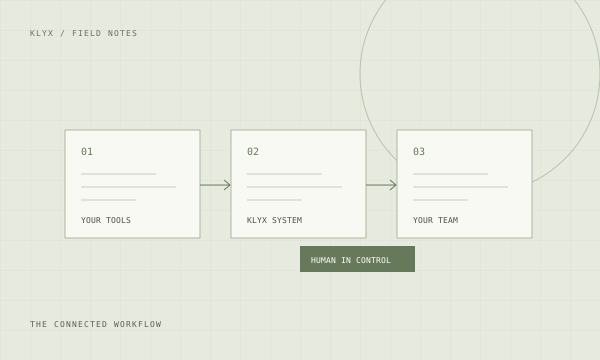
We assess Procore, Autodesk, Bluebeam, Microsoft 365, QuickBooks, and Foundation where relevant to the workflow. Access depends on your account, permissions, and available interfaces. The audit confirms what can connect, what needs a reviewed handoff, and which record remains the source of truth.
The crew finished the extra. The office is still trying to assemble the record. Follow the handoffs before blaming the people carrying them.
This is about administrative rejections: the work is represented, but the package is missing something the reviewer requires. The fix starts before submission.
A practical workflow for turning field directions into documented, reviewable changes before the job reaches closeout.
A grounded look at where artificial intelligence in construction earns its keep today, which claims to ignore, and how to pick a first workflow that pays for itself.
Extra work performed and never properly documented is one of the most common margin losses in commercial construction. A workflow for catching changes at the source.
Work in progress reporting and pay application preparation eat the same week every month. Where the repetitive parts can be automated and where accounting judgment stays.
Payment delays in commercial construction are usually documentation failures, not disputes. How to make the billing package complete on the first submission.
Most contractor dashboards report what is easy to collect rather than what changes decisions. A short list of operational metrics that are worth the effort to track.
Your project platform holds project data. Your accounting system holds cost. Your email holds everything else. How to connect them without a rebuild.
Profitable contractors fail on cash, not on margin. A forecasting approach built from the project data you already produce, updated without a monthly scramble.
Thousands of jobsite photos are worthless if nobody can find the right one. How to capture, organize, and retrieve visual evidence that actually supports a position.
Staff are already using AI tools with company information. A short, practical policy that protects the business without pretending the technology can be banned.
Jobs rarely go bad suddenly. They go bad gradually while the reporting still looks fine. The signals that appear early and how to surface them weekly.
We’ll discuss how work moves through your company, identify where to investigate first, and determine the scope of an operations audit.
Walk away with a map of how work moves through your office and a ranked list of what to investigate and fix first.
A real conversation. With the person who builds it.